Bose Connect App – QC35, SoundLink Compatible | Free Download
So you got QC35 or SoundLink and wondering if there's an app for it?
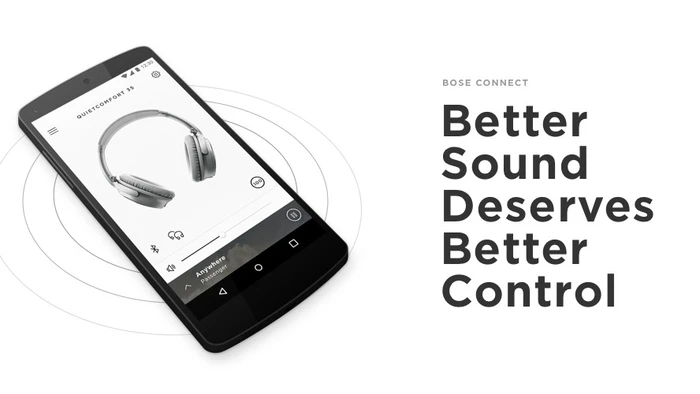
Yep. Called Bose Connect. Free. Works on Android and iPhone both.
I bought my QC35 II like a year back. Used it without any app for months. Didn't even know this existed till my friend asked why I wasn't adjusting noise cancellation from my phone.
Wait what. You can do that?
Turns out yeah. And bunch of other stuff too.
Quick Download
| App | Bose Connect |
| Cost | Free |
| Android | Play Store |
| iPhone | App Store |
| Size | Around 60 MB |
Just search Bose Connect. Download. Takes a minute.
What Works With This App
Headphones:
- QC35 and QC35 II ✓
- QuietControl 30 ✓
- SoundSport Wireless ✓
- SoundSport Free ✓
- Bose Frames ✓
Speakers:
- SoundLink Revolve ✓
- SoundLink Color II ✓
- SoundLink Micro ✓
- SoundLink Mini II ✓
Got QC45 or newer QuietComfort Earbuds? Those use different app. Called Bose Music. Yeah Bose has two apps now. Weird but whatever.
Why Bother With It
Noise cancellation control – QC35 has three levels. High low off. App lets you pick.
Battery on screen – See exact percentage anytime. No guessing.
Two speakers together – Party mode. Both play same audio synced up.
Stereo mode – Left right separation between two speakers. Sounds way better.
Updates – Firmware downloads automatically through app.
Without app headphones still work fine. But you miss these extras.
Setup Takes 30 Seconds
Open app. Turn on headphones. App finds them automatically. Tap to connect. Done.
Might ask for Bluetooth permission. Say yes obviously.
Android asks location permission too. Sounds sketchy but Bluetooth scanning needs it. App doesn't track you.
Not Finding Your Device?
Restart headphones. Toggle Bluetooth off on. Try again.
Still nothing? Remove from phone's Bluetooth list completely. Pair fresh.
Works 90% of time.
Free app. Two minute setup. Gives you controls you wouldn't have otherwise. No reason to skip it if you own compatible Bose stuff.